HAUNTED Hand Tracking Not Working? Quick Fixes
Hand tracking not working in HAUNTED: Are You Alone? Check your headset setting, lighting, hand position and controllers with these quick fixes.

You put the controllers down, hold up your hands and nothing happens. If HAUNTED hand tracking is not working, the fix is usually simple, and the developer's support page gives the starting point: check that hand tracking is enabled in your headset settings and that the room is well lit. This article turns that into a short troubleshooting sequence you can run in a few minutes, from most to least likely cause.
Confirm the game supports it
HAUNTED: Are You Alone? supports both Touch controllers and hand tracking. The product page says: "Play with Touch controllers or put them down and use your bare hands." So if your hands are ignored, it is not a missing feature.
Step 1: Is hand tracking switched on?
Open your headset's settings and look for the hand and controller tracking options. Make sure hand tracking is enabled. Meta moves these menus around between software versions, so look under the movement tracking or hands and controllers section. If it was off, enable it, then restart the game.
Step 2: Fix the lighting
Hand tracking uses the headset's cameras. In a dark room, those cameras struggle. The support page states good lighting helps tracking. Switch on a lamp or two, avoid pure darkness, and avoid a bright light directly behind your hands. Once tracking works, you can dim the room to taste.
Step 3: Put the controllers down properly
Some headsets keep using controllers if they are held or if they sit in view. Place them out of sight, away from your hands, and wait a few seconds. Hold your hands clearly in front of the headset with fingers visible.
Step 4: Keep your hands in view
Hands are tracked only where the cameras can see them. If you keep your hands low, behind your body or tight against your chest, tracking may drop. Bring them forward into the area in front of you, and try not to cross them over each other.
Step 5: Clean the cameras
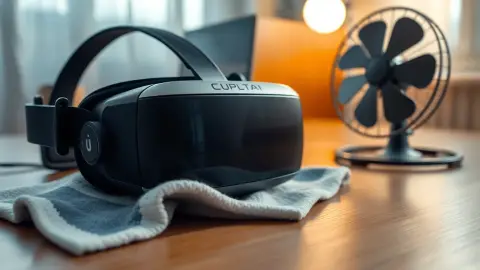
Smudges on the headset cameras reduce tracking quality. Wipe the front of the headset gently with a clean, soft cloth. Remove dust from the lenses and sensors using the manufacturer's advice. Do not use harsh cleaners.
Step 6: Restart the game and headset
Quit HAUNTED completely and launch it again. If that does not help, restart the headset. Temporary tracking glitches often clear after a restart.
Step 7: Re-run Space Setup if the room moved
If effects and tracking both feel off, update your Space Setup, then restart the game. The support page explains how to do this when monsters do not line up with your walls. See our Space Setup guide for the details.
Step 8: Fall back to controllers
If hands still misbehave, pick up your Touch controllers and play that way. Progress, upgrades, unlocked secrets and settings are stored locally on the headset, so you lose nothing by switching input. See our comparison of hand tracking and controllers for when each makes sense.
When to contact support
If you have tried everything and the problem persists, email the developer through the support route on the site. Provide your headset model, software version if you know it, lighting conditions and what you tried. The more detail you give, the faster someone can help.
Quick checklist
- Hand tracking enabled in headset settings
- Room lit properly
- Controllers put away
- Hands visible and in front of you
- Cameras clean
- Game and headset restarted
- Space Setup current
One last tip
Once tracking behaves, jot down the conditions: how bright the room was, where you stood and whether you used hands or controllers. A short note helps you reproduce the good session, and changing one thing at a time tells you which fix actually mattered.
FAQ
Why can't HAUNTED see my hands?
Most often hand tracking is off in the headset settings, or the room is too dark. Check both first.
Does hand tracking work in the dark?
Poor light reduces tracking quality. The developer advises good lighting.
Can I draw symbols with my hands?
Yes. The privacy policy says hand tracking is used for aiming, swinging and drawing secret symbols.
Will I lose progress if I switch to controllers?
No. Progress and settings are stored locally on the headset regardless of input.