Laser Thief Crawling Tips for Low, Tight Laser Grids
Crawling in Laser Thief gets easier with the right posture. Learn how to get low, move slowly under tight grids and protect your knees and shield.

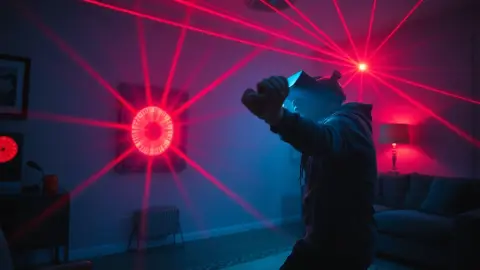
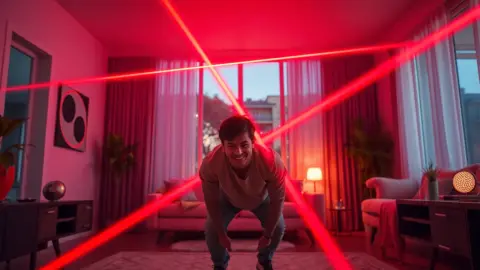
At some point Laser Thief stops asking you to duck and starts asking you to get on the floor. The game's own wording is that you crawl "when the grid gets tight." In the screenshots, green and blue grids signal that moment. These Laser Thief crawling tips will help you do it cleanly and comfortably.
Know when a crawl is needed
A duck handles beams at chest height. A crawl is for grids that sit low enough, or are packed tightly enough, that a squat will not clear them. If you try to duck through a low grid, your back and head will catch beams. Recognising the pattern early lets you commit to the crawl instead of half-doing it.
Take a second at the start of each level to scan the lower part of the room. If the beams crowd the lower space, plan to go all the way down.
Get into position safely
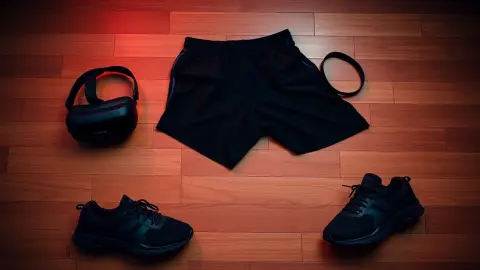
Before the first crawl of the session, check the floor:
- It should be clear of cables, shoes and pets.
- Wear something comfortable on your knees, or play on a surface that is kind to them.
- Keep your play area free of fragile items, since your hands will be near the floor.
Then lower yourself deliberately: one knee, then the other, then hands. Do not drop. A controlled descent keeps your head steady for the tracking and avoids a sudden swing into a beam.
Keep your head low and level
When crawling, your head position matters more than your elbows. Lift your head enough to see where you are going, but not so high that your back pokes up into the grid. Think of keeping your spine roughly parallel to the floor.
Move one hand and the opposite knee at a time, small steps, with your eyes on the gap ahead. Fast crawling in a tight grid is how shield disappears.
Slow is the rule
Laser Thief's support notes say slow, deliberate movements near beams are safer than fast ones. Crawling is where that matters most. Your hands are tracked, so each hand placement should be a choice, not a reflex. Place, check, shift weight, repeat.
Be careful with real furniture
The lasers are drawn between your actual walls and furniture. A coffee table in your room may be part of the scene, and you are crawling right next to it. Leave yourself a margin from sharp edges, and if you rearranged furniture, re-run room setup so the game's picture matches reality.
Save your knees and wrists
Crawling is a real workout. A few precautions:
- Warm up your wrists and shoulders first.
- Alternate between hard levels and easier ones to rest.
- Stop if you feel pain. Short sessions and regular breaks are part of the game's safety advice.
If you have a condition that limits movement, check with a doctor before playing.
Transition in and out
The hardest part of a crawl is usually getting down and getting back up. Practise those transitions in Free Play, where there is no clock. Try standing up beneath a low beam on purpose (without touching it) and notice how much vertical space you need. Learning your own clearance is more valuable than any trick.
Our guide on how to duck covers the neighbouring technique, and the Laser Thief page has an overview of every move.
A note on pace and comfort
Crawling is the move most likely to tire you quickly, so pace your sessions around it. If a world has several low grids in a row, alternate with levels that ask for more upright moves, and rest on your heels between attempts. Keep your neck relaxed rather than craning upward to see; a slight, gentle lift of the head is enough.
If your wrists start to complain, change the position of your hands slightly or take a break. Comfort is not a luxury here, since discomfort leads to sloppy hand placement and sloppy hand placement leads to lost shield.
FAQ
When do I need to crawl in Laser Thief?
When the laser grid gets low and tight enough that ducking will not clear it. The game's screenshots show green and blue grids as the moment to get on the floor.
Does crawling cost less shield than ducking?
Not inherently. Any touch of a beam shrinks the shield. Crawling is just the move that clears low grids, and it works best when done slowly.
Is crawling in Laser Thief hard on the knees?
It can be. Play on a comfortable surface, warm up, take breaks and stop if anything hurts.
Can I practise crawling without a timer?
Yes. Free Play uses random levels with no clock, so you can repeat low grids at your own pace.