Laser Thief Transport World Guide: Luxury Cars and Planes
Steal luxury cars, bikes and a plane in Laser Thief's Transport world. Strategy for the third world: pacing, space use and keeping your shield intact.
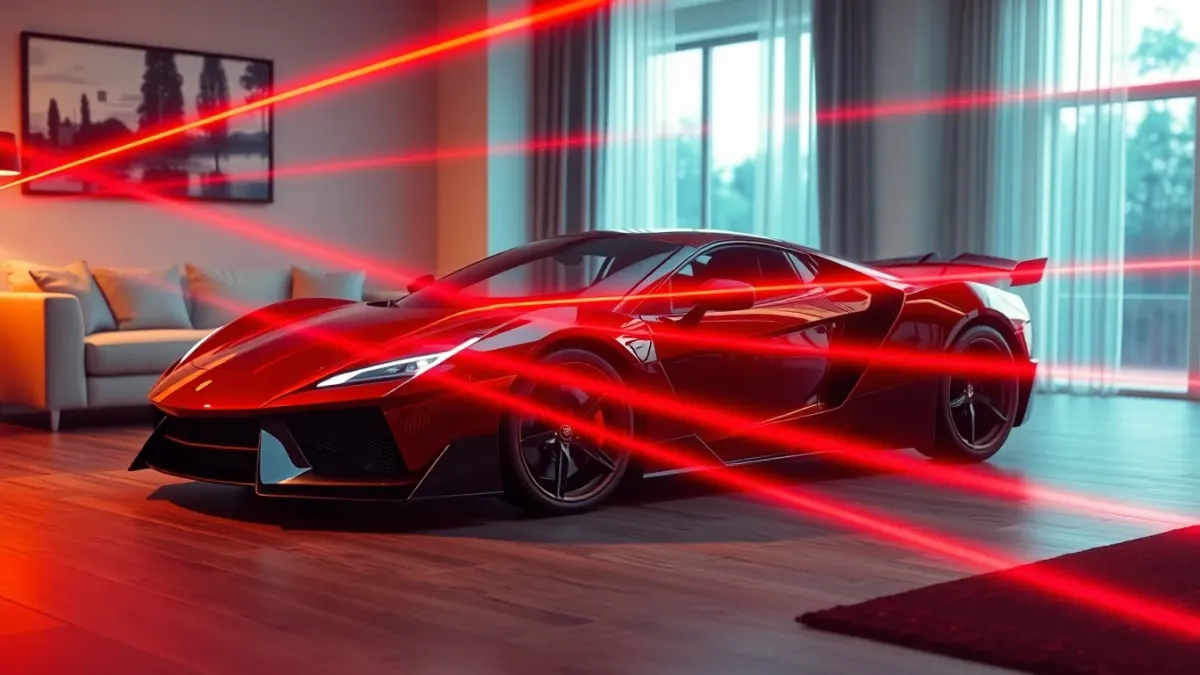
By world three, Laser Thief hands you a ridiculous brief: luxury cars, bikes and a plane, "all of it parked on your sofa." The screenshots show a supercar on the couch and a hand reaching for it. These Laser Thief Transport world tips are about using the middle of the campaign to level up your habits.
Why the middle matters
The difficulty curve climbs steadily, and the Transport world sits in the middle of the seven. It is where careless habits start to cost real shield and where good habits start to pay off. Treat it as a checkpoint for your fundamentals.
Use the whole space
Transport loot is big in spirit: cars, bikes, a plane. Your room is the stage, and the game maps lasers and loot to your real walls and furniture. Make sure your Space Setup includes the floor, walls and large furniture, so the supercar on your couch really sits on your couch.
Recommended space is about 3 × 3 metres (10 × 10 feet), clear of obstacles. In this world, you will likely cross that space more than you did in earlier worlds, so check it again for cables and anything that could trip you.
Plan routes, not moments
Instead of solving each beam on its own, think in routes. Look at the loot, decide the order you will take it, and pick a path that lets one move flow into the next. For example, ending a crawl near the next item saves a stand-up and sit-down.
Reach with your whole body
Large objects tempt you to grab from a distance. Step in. A short step to bring your torso closer keeps your arm path short and your balance steady. Our loot reaching guide goes through the pairing of steps and grabs.
Keep your rhythm
Good movement in a laser grid has rhythm: look, decide, move, settle. If you feel rushed, your rhythm is off. Pause for a breath at the start of each level and set your stance. Rushed movement near beams is how shield disappears.
Keep moving, safely
Not every hazard in the game is a beam. Poison bubbles appear in the Garbage world next, and they punish standing still. Start building a habit of subtle movement and weight shifts now, and the next world will feel more natural.
Pace the session
A long Transport session can tire your legs. Aim for 20 to 30 minutes, take breaks, and stop if you feel pain or dizziness. The support notes recommend short sessions and a doctor's advice if you have a condition affecting movement.
Keep tracking healthy
If you notice shield loss without touching a beam, check three things: light in the room, uncovered controllers, and up-to-date room setup. If you moved furniture, re-run Space Setup and restart the game.
Quick checklist
- Clear 3 × 3 metres of floor.
- Warm up with a stretch.
- Scan each level before moving.
- Step in before reaching.
- Break at the end of each world.
Learn more about the game on the Laser Thief page or the Meta Horizon Store.
Making the setting work for you
The Transport world's big, glamorous loot makes it tempting to play showily. Resist, and use the theme as motivation to stay smooth: a thief who wants to drive away in a supercar does not wave their arms around.
Pay attention to scale. Large objects can make you misjudge distance, so step in before reaching and confirm your arm path. If something looks too far, it probably is; take the extra step instead of stretching.
Also use the world as a chance to refine your routing. With several valuable items to take, thinking about the order in which you collect them, and where you end each move, pays off more here than in earlier worlds. Done well, the whole level becomes one flowing sequence.
FAQ
What loot is in the Transport world?
The game describes luxury cars, bikes and a plane.
What is the order of worlds in Laser Thief?
Food, Viking, Transport, Garbage, Furniture, Money and Warzone.
Do I need more space for the Transport world?
The recommendation is the same everywhere: about 3 × 3 metres of clear floor. More room makes the laser grids wilder.
Why does my supercar look misplaced?
Re-run Space Setup so the game has your current floor, walls and furniture, then restart Laser Thief.