HAUNTED Flashlight Guide: Shake It Back to Life
Your HAUNTED flashlight will go dark at the worst moment. Learn the shake trick, how to freeze skulls in the beam and how to never panic again.
Nothing prepares you for the moment your flashlight cuts out. If you are hunting for a HAUNTED flashlight guide, here it is: yes, the light dies, no, it is not a bug, and yes, there is a fix.
The one rule
When the flashlight flickers out, shake it back to life. Fast. The support FAQ is explicit about it: it is not a bug, shake it and it comes back to life. Try not to take too long. That last sentence is the whole point: the game is testing how quickly you can recover.
Make the shake automatic
Practise the motion until you do not need to think. Short, sharp shakes are enough; you do not need to windmill. If you are using hand tracking, keep your hand in view so the headset sees the motion clearly. Good lighting helps tracking.
What the beam is for
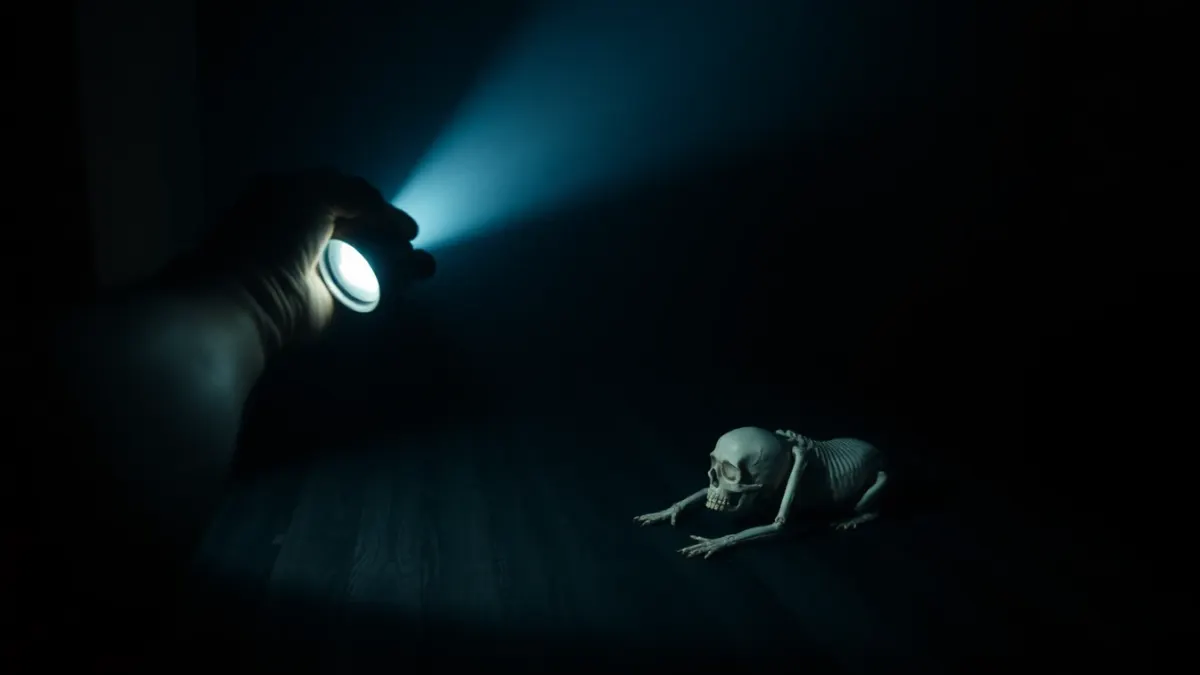
The flashlight is not just a mood tool. Skulls crawl out of your floor in one nightmare, and you can freeze them in your flashlight beam. This means the light is both your eyes and your shield. When it dies, you lose that freeze, so a fast recovery is more than comfort.
Hold the beam steady
Freezing a crawling skull only works while the beam is on it. Do not whip the light around. Sweep the floor in slow arcs, track one skull at a time, then move on. Combining freeze and shoot works best when you deal with one threat before shifting.
Don't hold it with a death grip
Tension makes shaking jerky and slow. Keep the flashlight hand loose. Relax your shoulder. A relaxed shake is faster than a clenched one.
When light and fear collide
Darkness is half of the game's atmosphere: it features flashing and darkened light. When the flashlight dies, your reflex will be to freeze. Fight that. Shake first, think second. It is a good lesson for any chapter, because acting beats freezing.
Plan your hands
If you play with controllers, decide which hand holds the flashlight and which holds your weapon. Keep it consistent so you do not need to think mid-chapter. Our HAUNTED page lists the full arsenal if you want to plan around it.
Build a light routine
Treat the flashlight like a rhythm instrument. A good routine in a skull-heavy moment looks like this: sweep the floor, spot a crawler, hold the beam on it until it freezes, deal with it, then sweep again. If the beam flickers mid-routine, shake once, check that it is back, and resume the sweep from where you left off rather than starting over. Rushing the restart tends to lose track of which skull you were watching.
Don't forget the room itself
Because the horror is built on passthrough of your real space, your flashlight beam falls on your actual floor and walls. That makes it a decent way to check corners, and it also means you should keep the real-world side tidy. A rug edge or a stray cable on the floor is the sort of thing you will not notice while staring at a skull, so clear the play area before you start.
Practise before it counts
The first time the light dies is the scariest. After that, you know the answer. If you feel a flicker is coming, loosen your grip and prepare to shake. Horror is a loop of dread and relief; this is a small, reliable relief you can control.
One last habit
Glance at the beam every few seconds, the way you check mirrors while driving. Catching a flicker early gives you a head start on the shake, and the whole chapter feels calmer when the light is something you manage rather than something that surprises you.
FAQ
Why does my flashlight go dark in HAUNTED?
It is intentional. It flickers out and you have to shake it back to life quickly.
How do I turn the flashlight back on?
Shake it. It comes back to life.
What is the flashlight good for?
It lets you freeze crawling skulls in the beam so you can deal with them.
Does the flashlight work with hand tracking?
HAUNTED supports hand tracking and controllers. If your hands are not detected, check that hand tracking is enabled in your headset settings and that the room is well lit.