Quest Headset Hygiene After Sweaty Games: A Simple Routine
How to keep your Quest 3 or 3S clean after sweaty sessions of Laser Thief: wiping, drying the facial interface, covers, and when to replace parts.
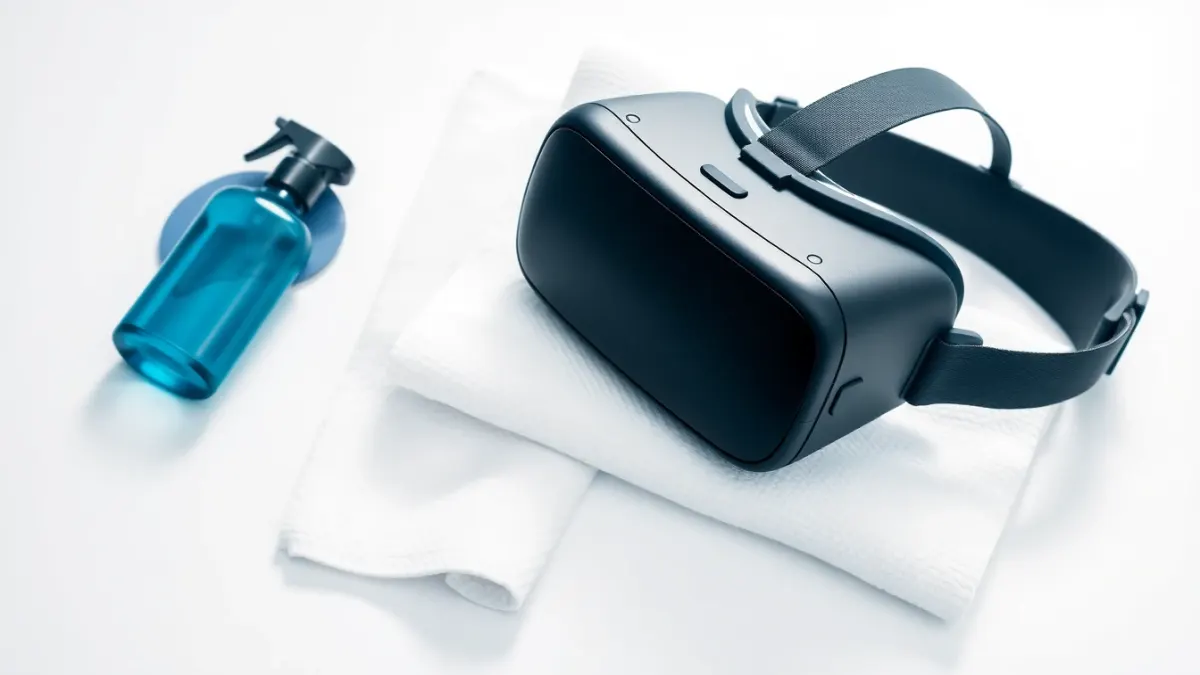
Laser Thief is a workout disguised as a heist, and workouts mean sweat. A headset is a snug, warm thing pressed to your face, so a little routine goes a long way. This guide to Quest headset hygiene after sweaty games sticks to general, careful practice. For product-specific cleaning rules, always follow Meta's official care instructions for your headset.
Why it matters
Sweat and skin oils build up on the facial interface and lenses. Left alone, that means smells, skin irritation, fogging and smudged views. It also affects shared headsets: if friends or family take turns in the Laser Thief vault, hygiene matters even more.
Before you play
- Wash or wipe your face if you have sunscreen, makeup or heavy moisturiser on. These are the main causes of smeared lenses.
- Tie back hair and consider a headband so sweat doesn't run down. Our outfit guide has more.
- Keep a towel just outside the play area.
Between rounds
When you stop for a break:
- Lift the headset off your face rather than sliding it down.
- Wipe your face and hands with the towel.
- Let the facial interface and lenses air for a few minutes.
Do not leave the lenses facing a sunny window while you rest.
After the session
- Wipe the facial interface with a clean, slightly damp, lint-free cloth, or an approved wipe. Check Meta's guidance for which products are safe for the material.
- Dry thoroughly. Moisture trapped in foam or fabric is what causes odours.
- Clean the lenses with a dry microfibre cloth. Use gentle circular motions, no pressure. Never spray liquid directly on lenses.
- Wipe the controllers, especially grips and straps, as sweaty hands transfer a lot.
- Store the headset in a cool, dry place, ideally in its case or with the lenses covered.
Covers and replacements
Many accessories exist: washable fabric covers, silicone covers and replacement facial interfaces. Choose from reputable sellers and check they are compatible with your Quest model. Silicone covers are easy to wipe but can feel warm. Fabric covers are comfy but need washing. Replace worn or cracked parts, because they are harder to keep clean.
Sharing a headset
If multiple people play:
- Use separate disposable or washable covers per person.
- Wipe down between players.
- Let it dry before the next turn.
Skin and comfort
Stop if your skin gets irritated, red or itchy. Take a longer break and, if it persists, see a professional. Heat and fogging also tell you it's time to rest; our guide on session length can help.
Cool down and rehydrate
Take the headset off, drink water and let your body temperature settle. Our cool-down guide has a short routine to follow.
A 2-minute routine to remember
Face off, wipe interface, air-dry, wipe controllers, lenses covered. Done.
Now that the kit is clean, return to the Laser Thief worlds whenever you like.
Spotting the signs it needs a deeper clean
A quick wipe handles most days, but a few signals mean the headset needs more attention. A sour smell that comes back after drying, a facial interface that feels sticky or tacky, lenses that fog straight away, or small spots of skin irritation after short sessions are all hints that sweat and oil have built up.
At that point, follow Meta's care instructions for the parts involved, give everything plenty of time to dry fully, and consider swapping in a fresh cover or replacement interface. Keep a spare washable cover if you play often, so you can rotate one while the other dries. It is a small cost compared with an uncomfortable, smelly headset that nobody wants to share.
FAQ
How do I clean a Quest 3 facial interface?
Wipe with a clean, slightly damp lint-free cloth or an approved wipe, then dry thoroughly. Follow Meta's care guidance for the correct products.
Can I use alcohol wipes on lenses?
Don't apply liquids to the lenses. Use a dry microfibre cloth, and check Meta's official instructions before using any cleaning product.
How often should I clean my headset?
Wipe after every sweaty session and do a deeper clean as needed. Sharing a headset calls for cleaning between people.
Do covers help with sweat?
Yes, washable fabric or wipeable silicone covers keep sweat off the standard interface. Make sure they are compatible with your headset.