How to Clear Your Room for Laser Thief Safely, Step by Step
A practical routine for clearing furniture and clutter before playing Laser Thief on Quest 3, so ducking and crawling in mixed reality stays safe.
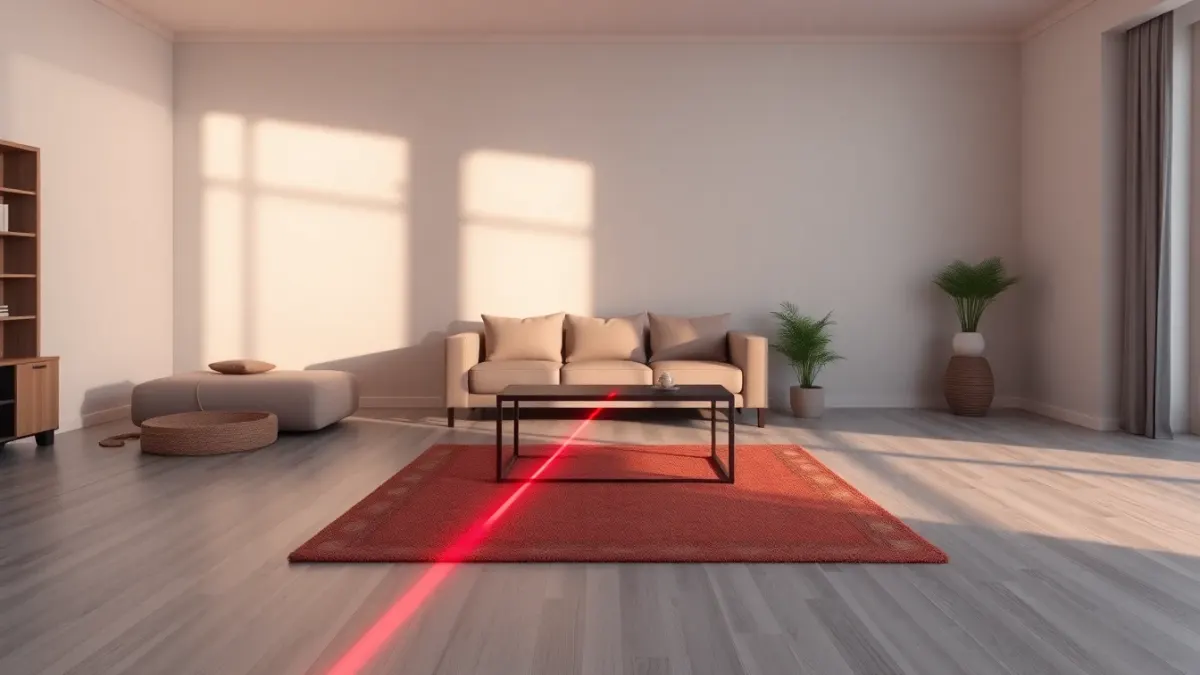
Virtual lasers cannot stop you from walking into a real bookshelf. The game's own terms say it plainly: lasers do not protect you from real furniture. So the most important part of any Laser Thief session happens before you put the headset on, and it takes about five minutes if you do it in the right order.
Start at the floor
Most injuries in movement games come from things on the ground, not things in the air. Walk the play area slowly and look down.
- Pick up cables, chargers and extension leads, or tape them against a wall.
- Remove shoes, bags, toys, laundry and yoga blocks.
- Roll up or secure loose rugs, because a curling edge is a classic trip hazard when you are staring at a laser grid.
- Move pet bowls and pet beds out of the zone.
Laser Thief asks you to crawl, so the floor also needs to be somewhere you do not mind putting your hands and knees. More on that in our piece on floor surfaces for crawling.
Then check knee height
Coffee tables and low stools are the real danger here. When a beam sits at knee height you will step over it, and your shins are exactly where a table edge lives. If you can, move low furniture out of the room or against the far wall. If you cannot, mark where it is in your headset's room setup and treat that side as a no-go zone.
Then hips, elbows and head
Look at counters, door handles, sharp corners, open cabinet doors and hanging lamps. The game asks you to lean, twist and stretch, so your elbows and head travel further than they would in a standing game. Anything fragile on a shelf within arm's reach should come down or be moved. Ceiling fans should be off.
Use the 3 × 3 metre target
The recommended play area is about 3 × 3 metres (10 × 10 feet), as covered in our guide on how much space Laser Thief needs. Step out the four sides and make sure the whole square is clear, not just the middle. Players drift toward the edges during a tense grid.
Run room setup after you clear
Once the room is tidy, run Space Setup on your headset so the floor, walls and large furniture are captured as they are now. The game places beams and loot against that layout, and keeping your boundary features enabled gives you a second layer of protection. If you rearrange the room later, run the setup again.
Keep people and pets out
A spectator wandering into the zone while you are mid-crawl is a recipe for a collision. Agree a rule with housemates: whoever is watching stays outside the marked area. Our article on playing with pets and kids nearby has more ideas.
A 60-second pre-flight
- Floor clear? Cables, bags, bowls, rugs.
- Knee-height furniture moved or avoided?
- Fragile things out of arm's reach?
- Lights on, room set up, boundary on?
- Everyone else outside the square?
If all five are yes, you are ready to try the Laser Thief heist.
Make it a habit, not a one-off
A room that was clear on Sunday is not necessarily clear on Thursday. Bags get dropped by the door, a delivery lands in the hallway, someone leaves a drying rack in the middle of the floor. If you share your home, the easiest fix is a standing arrangement: the play square is the one patch nobody parks things in during your agreed play time.
Some players keep a small basket or a hook just outside the square for the things they pick up during the clear-out: chargers, slippers, a water bottle. Having a place to put them makes the five minutes faster and means the same objects do not drift back onto the floor mid-session.
FAQ
How do I make my room safe for VR?
Clear the floor first, then low furniture, then anything within arm's reach. Run your headset's room setup afterwards and keep boundary features on.
Do the lasers in Laser Thief hurt if I touch them?
No, they are virtual. Touching a beam shrinks your shield in the game. The real danger is the furniture and walls they are drawn between.
Should I play with shoes on?
The game's terms recommend suitable footwear. Pick shoes or grippy socks that you can move in comfortably, and avoid anything slippery on hard floors.
Do I need to re-run room setup if I move the sofa?
Yes. The game maps beams and loot to the layout your headset knows about, so re-run Space Setup and restart the game after any significant change.