Tank Avenger Troubleshooting: Fixes and How to Reach Support
Tank Avenger troubleshooting in one place: alignment, comfort, saves, refunds and how to contact the developers when the quick fixes do not work.
Something's not right: the arena sits in the wrong place, you feel off, your levels seem gone. Before you panic, work through the usual suspects. This Tank Avenger troubleshooting guide pulls together every fix from the game's support page, adds practical context, and ends with how to reach the developers.
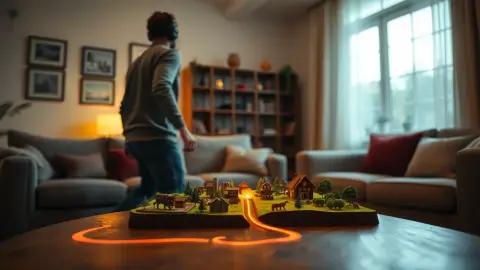
Problem: the arena isn't lining up with my room
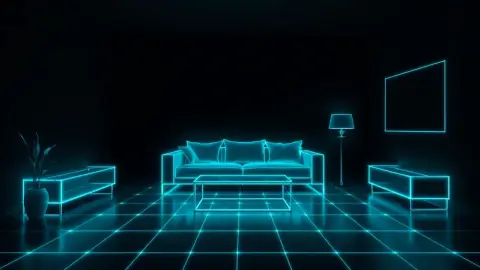
The support answer: make sure your headset has an up-to-date room setup (Space Setup on Meta Quest) with floor, walls and furniture captured. Re-run it if you moved furniture, then restart the game so it re-reads the layout. We cover it step by step in a dedicated fix guide. Also check lighting and remove clutter.
Problem: the game won't start or doesn't seem compatible
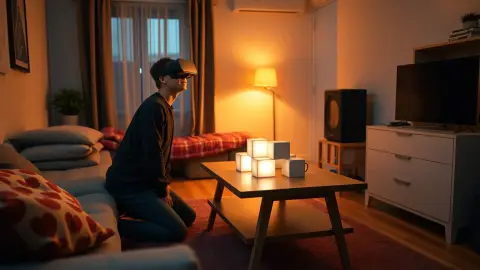
The game runs on Meta Quest headsets with passthrough mixed reality, since it places the battlefield on your real floor and furniture. Confirm your model on the official store page, update your headset software and restart it. The terms note no guarantee of compatibility with every headset, room or software version.
Problem: I feel dizzy or uncomfortable
Stop playing immediately and take a break. Mixed-reality games can be intense; play in short sessions, keep the room well lit and make sure the play area is clear. If discomfort persists, do not continue. This is general guidance, not medical advice.
Problem: my progress disappeared
Everything you have earned or built, including level progress, coins, upgrades and custom levels, is stored locally on the device. A fresh install wipes it. If you reinstalled, factory reset or switched headsets, local data may not come with you; platform backups may help depending on Meta's settings.
Problem: I want my money back
Purchases are handled by the Meta Horizon Store. Request a refund from your purchase history in the Meta Horizon app or on the Meta website, subject to Meta's refund policy.
Problem: not enough space
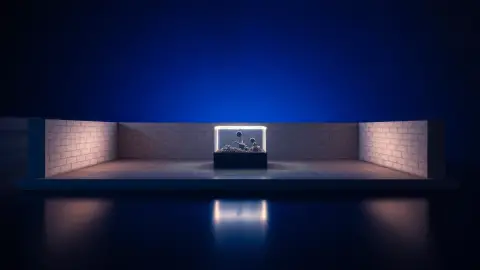
If tracking or alignment feels off, first check the basics: roughly 2 × 2 metres of clear floor, or a table or coffee table as your arena, is what the game is built for. A cramped room can also be handled by building a smaller custom level.
General quick fixes
- Restart the game.
- Restart the headset.
- Check for software updates.
- Rescan your room in good light.
- Clear the play area and try again.
Contact the developers
If nothing helps, email the studio. The support page invites you to write with questions, feedback or trouble, and the studio is ThreeFlavors LLC. Include:
- Your headset model and software version if you can find it.
- What you were doing when the problem happened.
- Whether you changed furniture or rooms recently.
- A short description of what you see versus what you expected.
You'll find the contact details through the support section of the Tank Avenger page. Don't send photos of your home or personal data unless necessary; the game itself doesn't collect room images.
When it's not a bug
Sometimes the "problem" is expectation. If the arena works perfectly but feels tight, the fix may be a bigger clear area or a table arena. If you feel tired, it may be a session that ran too long. If a level feels hard, practise a different weapon.
Separating technical problems from comfort and difficulty saves time, because only the first needs a developer. The rest you can solve with setup and pacing.
A short troubleshooting order
When something goes wrong, change one thing at a time. First, stop and check whether you are comfortable and safe. Second, check the room: light, clutter, furniture moves. Third, rescan and restart the game. Fourth, restart the headset and update software. Only then dig deeper or write to support. Working in this order stops you from changing five things at once and never knowing which one fixed it, and it gives support a clean report if you do need to write.
FAQ
How do I contact Tank Avenger support?
Use the support section on the product page; it provides an email address for questions, feedback or trouble.
Why is my arena misaligned?
Usually an outdated room setup. Rescan with the floor, walls and furniture captured, then restart the game.
Where is my save data?
Locally on your headset. Uninstalling the game removes it.
Who handles refunds?
Meta, through the Meta Horizon Store and your purchase history.