First Games to Buy With a New Quest Headset
Just got a Meta Quest and wondering what to buy first? Here is a sensible shopping logic, and why Sozo Tower Defense fits a starter library.
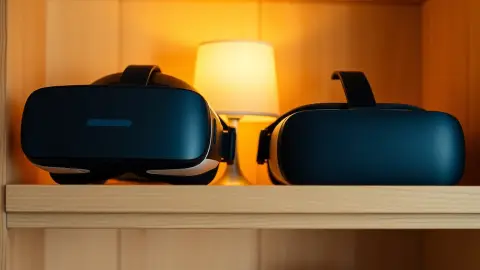
A new headset on a table, a store full of unfamiliar titles and a budget you do not want to waste. If you are asking which are the first games to buy for a new Quest, the honest answer is: buy variety. A good starter library covers a few different feelings. This guide gives a framework and then shows where Sozo Tower Defense fits.
Build a balanced starter library
Try to pick one game from several categories:
- A quick, physical game to show off VR to friends.
- A relaxed exploration or creative game for calm evenings.
- A strategy or puzzle game that rewards thinking.
- A mixed reality game if you own a Quest 3 or 3S, to see what passthrough can do.
- One thing that is just for you, based on your tastes: horror, sports, rhythm, fantasy.
Check the store page for reviews and screenshots, and think about the space you have.
Where Sozo fits
Sozo Tower Defense covers two categories at once: strategy and mixed reality. It is a tower defense game in which you defend the Core Crystal across 160 levels in 8 realms, with 8 tower types, 48 enemy types, five difficulty modes and a hands-on layer where you shoot, punch and cast powers.
For a new owner, that means:
- Plenty of content, so it will not be finished in an evening.
- A learning curve you control, via difficulty from Casual to Ultra.
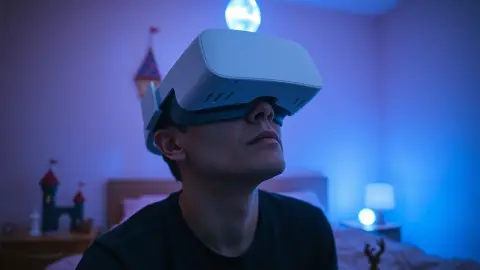
- A mixed reality mode (best on Quest 3 and 3S) in which portals open in your real walls and monsters cross your real floor.
- A VR mode that works on every supported headset: Quest 2, Quest Pro, Quest 3 and Quest 3S.
Set up first, shop second
Before you buy anything:
- Complete your headset's setup and room boundary.
- Run Space Setup if you want mixed reality, which Sozo needs once.
- Clear a play area. Sozo expects standing or room-scale play with a little space to reach, aim and punch.
- Choose a well-lit spot, which helps hand tracking.
Your first hour with Sozo
- Start in VR mode on Casual or Normal.
- Place a Ballista and a Frost Spire in the first level and watch how they work together.
- Try Touch controllers, then try hand tracking if you like. The game can switch automatically.
- Learn what flyers do: they skip the path, so a Missile Battery or your own aim is needed.
- Stop after twenty or thirty minutes and notice how you feel. Play in short sessions and stop if you feel dizzy or unwell.
Things to be cautious about
- Do not buy everything at once. Sales come often; you will learn your taste.
- Check age guidance. Sozo is not directed at children under 13, and players must meet the platform's minimum age.
- Do not judge VR by your first sweaty ten minutes. Fit, lens distance and lighting change everything.
- Take it slowly with comfort. New users often need time to adapt.
What you will not get
Sozo is single-player strategy. The materials describe no multiplayer mode, so keep that in mind when building a library for social play.
Links
The Sozo Tower Defense page lists everything in the box, and the Meta store listing is where to look up the current price.
A realistic first-month plan
In week one, explore the free and included apps and get comfortable with your headset. In week two, add a strategy game like Sozo for evenings and a quick physical game for visitors. By week three you will know whether you prefer relaxed or active play and can shop with confidence. Resist spending your whole budget on day one, because your taste will change as you learn what VR does well.
FAQ
Is Sozo Tower Defense good for new VR owners?
It is a strategy game with adjustable difficulty and short level structure, which many newcomers find approachable if they keep sessions short.
Do I need a Quest 3 to play?
No. Quest 2, Quest Pro, Quest 3 and Quest 3S are supported.
Should I try mixed reality straight away?
You can, after running Space Setup, but starting in VR mode while you learn the controls is a gentle option.
How many levels will I get?
160 levels across 8 realms.