Laser Thief Screenshots Explained: What Each Scene Shows
The Laser Thief screenshots explained: red and yellow dodges, green crawl grids, the glowing target and a sofa supercar, and what each one asks of you.
Store screenshots can be hard to read if you have not played. What are the coloured lines, why is someone on the floor, and why is there a car on a sofa? The images on the Laser Thief page are all mixed reality captures, and each shows a different part of the game. This guide walks through them using only what the page itself says.
The yellow dodge: a loot safe opens
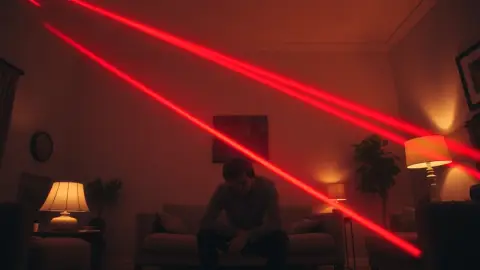
The first screenshot shows a loot safe blowing open on the wall while the lasers close in. Yellow and red beams cross the space, and the player is mid-dodge. It is the clearest picture of the core loop: something valuable is on offer, the light is in the way, and your body decides how you get through. The safe sits on a real wall because the game maps loot to the room you captured in Space Setup.
If you want to know what a dodge asks of you in practice, our guide to leaning, twisting and stepping breaks it down.
The green and blue grid: time to crawl
In another image, green and blue grids hang low beside a coffee table, and the caption says it is time to get on the floor. This is where the crawl move comes in. The colours matter: grids are drawn in different colours, and learning to read them is a skill of its own. Our laser pattern reading guide goes deeper. Note the coffee table in the picture: it is real, which is why the safe clearing guide matters.
The kneeling reach: the glowing target
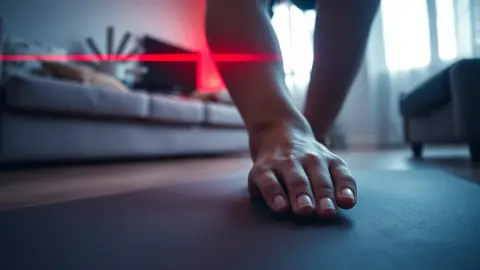
A third screenshot shows a player kneeling to reach a glowing target without breaking a single beam. This is the reach move, and it is the careful half of the game. It rewards slow movement and a clean path in and out, which our article on reaching for loot without touching lasers explains.
The supercar on the couch
The Transport world screenshot shows a supercar parked on a couch, with the player reaching out to take it. It sums up the humour of the game: the loot is absurd and appears inside your actual living room, thanks to the colour passthrough of Meta Quest 3 and 3S. Our Transport world guide looks at what that world asks of you.
The red dodge: every dodge is real
The final screenshot caption says every dodge is a real dodge and your legs will know. It is a reminder that the game is physical. There is no joystick: you duck, dodge, crawl and reach with your own body.
What the screenshots do not show
Images are snapshots, so they cannot show the narrator's voice, the 120-second countdown of Bomb Mode or the random levels of Free Play. They also do not show the awkward but important parts of playing: the cleared floor, the warm-up and the rest between levels. For the full picture, watch the trailer on the Laser Thief page.
How to use the screenshots when deciding to buy
Look at what the player is doing in each image and ask whether you would enjoy it. Is that dodge something your body can manage? Is your room roughly as clear as the one shown? If the answer is yes, the screenshots are a fair preview. If you are unsure about space, our piece on how much room the game needs can help you decide.
Spotting the room in the room
One detail worth noticing in every screenshot is how ordinary the surroundings are: a wall, a coffee table, a couch. None of it is a set built for the game. That is the idea behind the whole experience, and it is also a useful reminder for your own setup. The better your room is prepared, the closer your living room will look to those pictures, with beams hanging where they belong and loot sitting on real surfaces.
FAQ
Are the Laser Thief screenshots from real gameplay?
The page describes them as real rooms and real laser grids, captured in mixed reality.
What do the different laser colours mean?
The page shows yellow and red beams for dodging and green and blue grids for crawling. It does not publish a full colour key, so learn them as you play.
Is the supercar actually in my room?
It appears in your room through passthrough, parked where you have space, such as on your couch.
Where can I see more of the game?
The trailer and screenshots are on the Laser Thief page, and the Meta Horizon Store lists the game.